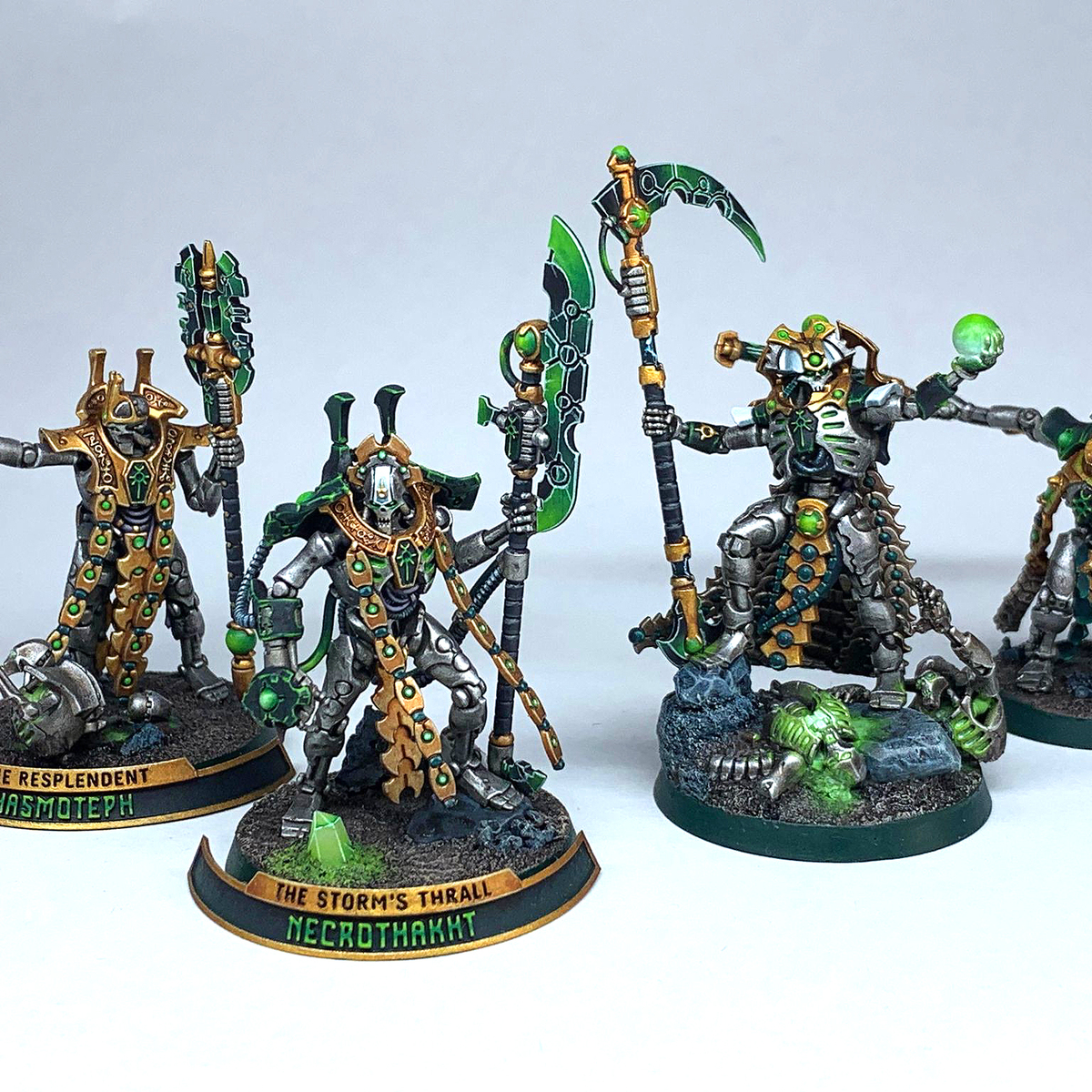
- Prime with Leadbelcher or Chaos Black
Armour
Mechanical Parts
- Begin by painting all the inner mechanical parts and the gun casing with Mechanicus Standard Grey .
- Apply a layer over these areas with Black Templar
- Edge highlight next with Dawnstone
- Add another edge highlight with Administratum Grey , but this time focus more towards the corner areas.
- Spot highlight with Ulthuan Grey
Metal Plates
- Base coat all the metal plates starting with Ironbreaker - leave the shoulders and face plates.
Weapon
- Paint the metal parts of the weapon with Leadbelcher
- Coat the metal weapon parts with a 1:3 Black Templar / Contrast Medium mix
- Edge highlight the metal parts using Stormhost Silver
Glow
- Start with Corax White to the areas that will be green
- Over the white detail, apply 1:3 Warp Lightning / Contrast Medium . Make sure to absorb the excess as we want to build gradually. Build in areas where you want it to be heavier. This should take a few coats
- Make a glaze with Dark Angels Green and Contrast Medium . Use this to darken the darker areas on the glowing parts. Use roughly three layers.
- Next highlight the brighter areas with White Scar
- Take Tesseract Glow and Lahmian Medium and apply this over the green areas.
- With White Scar again, just add a small highlight to the most promenient edges.
Citadel Painting System 17
Base 3
- Corax White
- Leadbelcher
- Mechanicus Standard Grey
Layer 6
- Administratum Grey
- Dawnstone
- Ironbreaker
- Stormhost Silver
- Ulthuan Grey
- White Scar
Technical 3
- Contrast Medium
- Lahmian Medium
- Tesseract Glow
Spray 2
- Chaos Black
- Leadbelcher
Contrast 3
- Black Templar
- Dark Angels Green
- Warp Lightning


.jpg)