Skin
- Basecoat with 2:1 Cadian Fleshtone and Administratum Grey .
- Shade with some Reikland Fleshshade . I applied this with some precise recess shading and glazes. To make it easier, I would recommend thinning with some Lahmian Medium .
- Shade deep recesses with Khorne Red , with a little Gal Vorbak Red mixed in.
- Gradually mix White into the basecolour, then pick out raised details. Each time you mix in more White , highlight more selectively, until you are defining details like the point of the nose and knuckles with almost pure White .
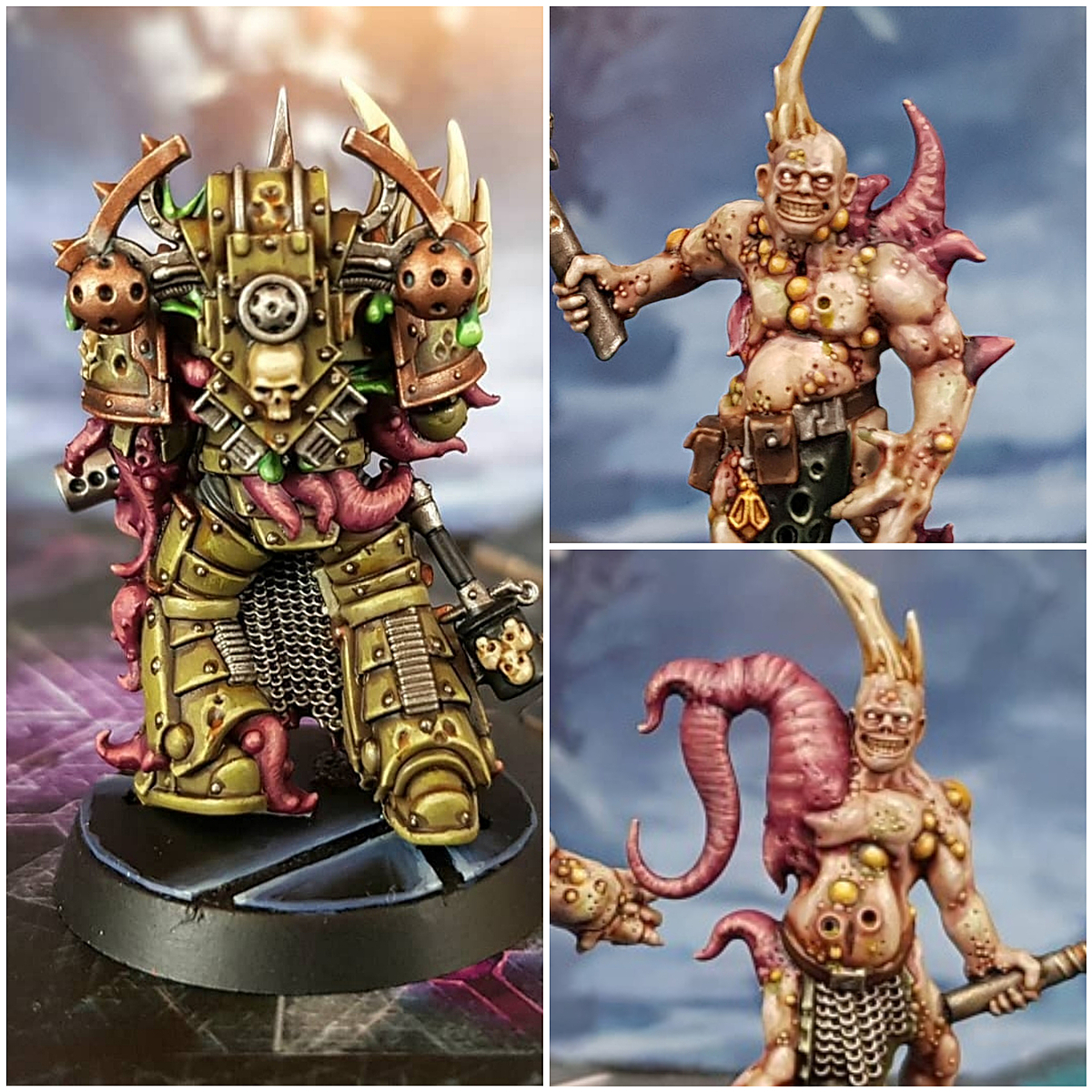
Mutated Skin
With the human skin finished, glaze where the fise is mutating with a 1:1 mix of the basecolour and Kabalite Green .
- Mix some Incubi Darkness into the above, then glaze closer to the mutation, within the previous stage. the idea here is to build a bit of a gradient.
- Shade recesses with pure Incubi Darkness .
- Gradually mix Pallid Wych Flesh into the basecolour, then pick out raised details on the mutated portion. Each time you mix in more Pallid Wych Flesh , highlight more selectively, until you are defining details with almost pure Pallid Wych Flesh .
Chitin
- Basecoat with 1:1 Incubi Darkness and Abaddon Black .
- Shade with some thin Abaddon Black .
- Glaze highlights of Incubi Darkness across all raised areas.
- Highlight with Lupercal Green , working within the pervious stage.
- Gradually mix Screaming Skull into Lupercal Green , then pick out raised details. Each time you mix in more Screaming Skull g, highlight more selectively, until you are addin very small highlights of almost pure Screaming Skull to distinct points.
- Finish with specular highlights of 1:1 Screaming Skull and White on points.
Apron
- Basecoat with 3:1 ;white and Celestra Grey .
- Gradually mix Dark Reaper into the basecolour and shade the folds, using Lahmian Medium to keep it thin. Each time you mix in more Dark Reaper , shade the recesses more selectively, until you are shading the deepest parts with small amount of almost pure Dark Reaper .
- Pick out edges with White .
For the blood, I stippled Blood For The Blood God in patches to form a shape I was happy with. With this done, I mixed some Black into the Blood For The Blood God and enhances some parts, to mimic clots.
Bandages
- Basecoat with Steel Legion Drab .
- Shade recesses with some thinned Rhinox Hide .
- Glaze raised areas with Karak Stone , dragging your brush towards the most exposed part, to help build highlights.
- Edge highlight wrappings with Ushabti Bone .
- More selectively highlight with Screaming Skull .
- Mix some White into your Screaming Skull and highlight a little smaller.
Black Details
- Basecoat with Black .
- Highlight everything with Dark Reaper .
- Highlight everything again, this time with fine highlights of Thunderhawk Blue .
- With Fenrisian Grey , selectively highlight upward facing edges, corners and prominent edges.
- Finally, edge add small highlights to the centre of the previous highlights and corners with Blue Horror . Try to make them very small, dots if at all possible.
Steel
- Basecoat with Leadbelcher .
- Wash with Nuln Oil .
- Highlight with Ironbreaker .
- Finish with a few selective Silver RLM01 Metallic highlights.
For the staples, i jumped styraight to a Silver RLM01 Metallic . The surface area was so small, and the shading around them so dark, this was more than enough.
Green Details
- Basecoat with a 1:1 mix of Waaagh! Flesh and Moot Green .
- Wash with Biel-Tan Green .
- Add highlights of Moot Green to all edges and raised detail.
- Mix some Vallejo Model Color Ice Yellow into the Moot Green and apply in smaller highlights. Dorn Yellow is a decent GW equivalent.
- Finally, apply specular highlights of pure Ice Yellow where relevant.

Rookie Brushes
RookieBrushes
Aspiring miniature painter and biscuit enthusiast. Here to share my hobby and help where I can.
Citadel Painting System 29
Base 10
- Abaddon Black
- Celestra Grey
- Gal Vorbak Red
- Incubi Darkness
- Khorne Red
- Leadbelcher
- Lupercal Green
- Rhinox Hide
- Steel Legion Drab
- Waaagh! Flesh
Shade 3
- Biel-Tan Green
- Nuln Oil
- Reikland Fleshshade
Layer 14
- Administratum Grey
- Blue Horror
- Cadian Fleshtone
- Dark Reaper
- Dorn Yellow
- Fenrisian Grey
- Ironbreaker
- Kabalite Green
- Karak Stone
- Moot Green
- Pallid Wych Flesh
- Screaming Skull
- Thunderhawk Blue
- Ushabti Bone
Technical 2
- Blood For The Blood God
- Lahmian Medium
Vallejo Game Color
Base 1
- 72.051 Black
Vallejo Model Air
Base 1
- 71.063 Silver RLM01 Metallic
Vallejo Model Color
Base 2
- 70.858 Ice Yellow
- 70.951 White