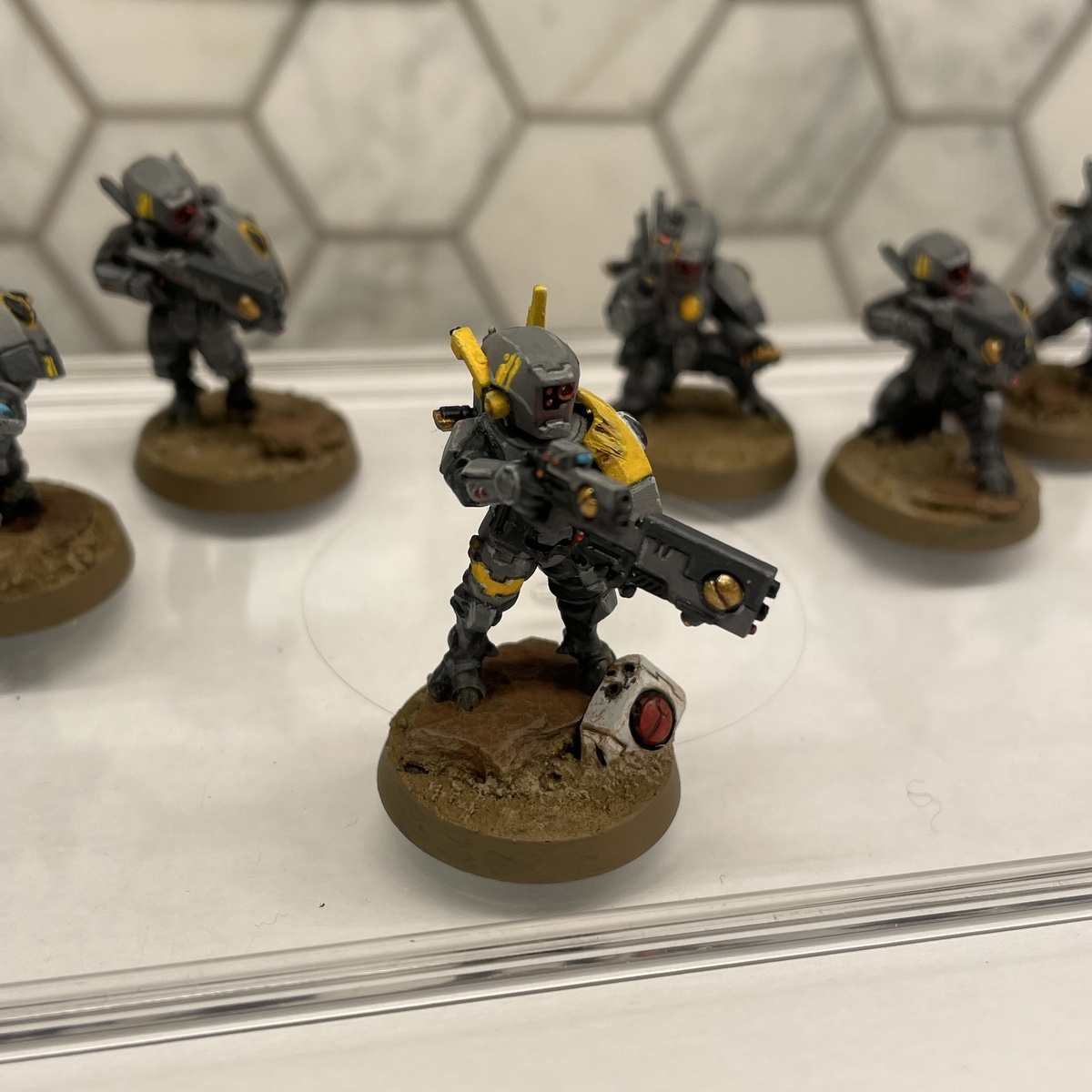
Ke'lshan Fire Warrior
For all Tau infantry from the Kel'shan sept - Fire Warriors and Pathfinders. Should also work for drones, and for Battlesuits with a couple tweaks.
Yes, this is definitely far too detailed for basic infantry, but I figured I'd go to town!
As a note here, I painted the entire mini as subassemblies (head, torso, legs; arms separate, backpack and shoulder guard separate). This isn't necessary, but I was able to get to a lot more of the details.
Undercoat with Mechanicus Standard Grey
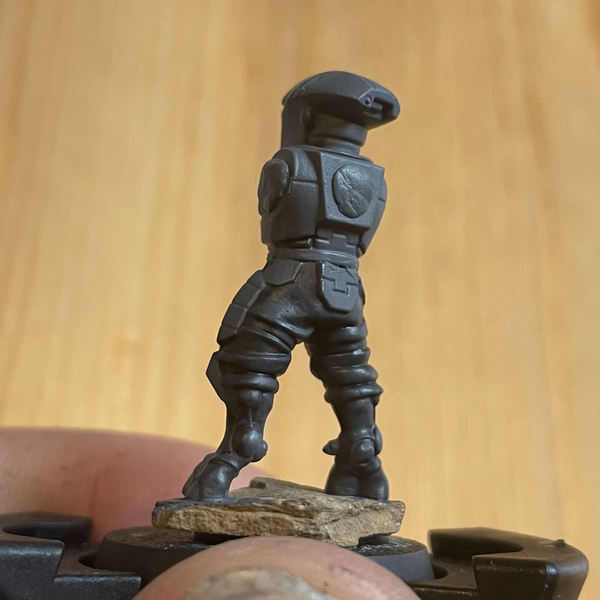 Fatigues
- Base with Corvus Black
- Chunky highlight with Eshin Grey
- Wash with Nuln Oil (or Agrax Earthshade for a 'dirtier' look)
- Highlight again with Eshin Grey
- Fine highlight with Dawnstone
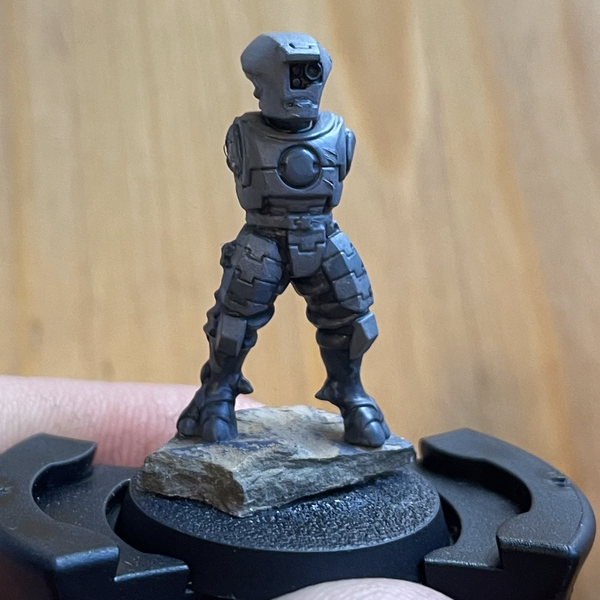 Light Grey Armour
- Touch up undercoated areas with Mechanicus Standard Grey
- Base with Dawnstone
- Shade recesses with a mix of Mechanicus Standard Grey / Contrast Medium , aiming for areas that would be shadowed (sides of chest panel, underside of helmet etc)
- Shade armour panel lines with Nuln Oil
- Touch up panel edges with Dawnstone
- Highlight with Administratum Grey
- Fine highlight with Celestra Grey
Dark Grey Armour
- Base with Eshin Grey
- Shade armour panel lines with Nuln Oil
- Touch up panel edges with Eshin Grey
- Highlight with Mechanicus Standard Grey
- Fine highlight with Dawnstone
Yellow Armour (sept colour)
Note: Steps 3 to 5 can be skipped for any smaller pieces of armour.
- Base with Averland Sunset
- Layer with Yriel Yellow
- Recess shade with a mix of Averland Sunset / Yriel Yellow / Contrast Medium
- Shade panel lines with Agrax Earthshade
- Highlight with Yriel Yellow
- Fine highlight with a mix of Yriel Yellow / Screaming Skull
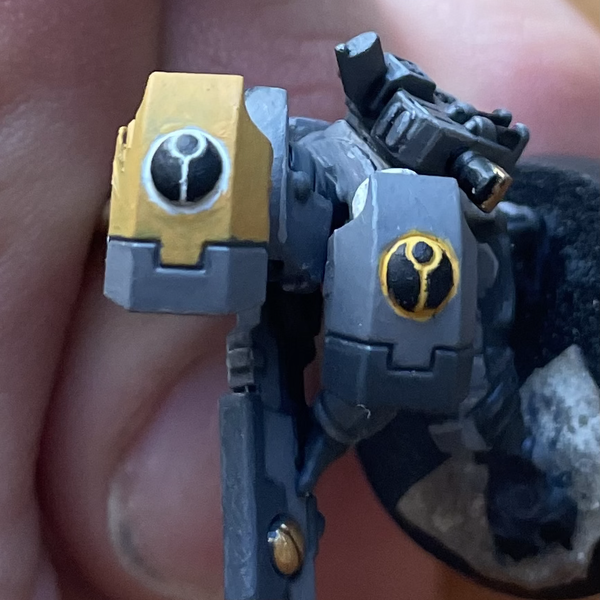 Shoulder Icons
- Shade the T'au symbol with either a mix of Averland Sunset / Yriel Yellow / Contrast Medium (for the shas'la) or a mix of White Scar / Contrast Medium (for the shas'ui)
- Carefully layer Abaddon Black , being careful to avoid the colour in the recesses
- Highlight with Mechanicus Standard Grey
Weapon & drone hardware
- Base with Abaddon Black
- Wash with Nuln Oil
- Highlight with Eshin Grey
- Fine highlight with Administratum Grey
Gyrostabilizers & other gold metal (backpack fins, ammunition)
- Base with Retributor Armour
- Shade with Agrax Earthshade between metal parts, and Nuln Oil around the outside of the gyrostabilizers.
- Touch up with Retributor Armour
- Chunky highlight with a mix of Retributor Armour / Liberator Gold
- Fine highlight with Liberator Gold
Lenses & Lights
- Base with Khorne Red (skip this step for smaller ones)
- Layer with Mephiston Red on the lower 3/4 of the lens
- Highlight with Wild Rider Red in a crescent on the lower 1/4 to 1/2 of the lens
- Fine highlight with Fire Dragon Bright in a thin line at the very bottom of the lens
- Dab a bit of a mix of Abaddon Black / Contrast Medium into the centre of the deeper eye lenses
- Final highlight with a tick of White Scar in the upper corner of the lens.
- Optional: very very faintly drybrush the area light from the lens would shine on with Mephiston Red for an object source lighting effect.
Viewfinders & Screens
- Base with Stegadon Scale Green (skip this step for smaller ones)
- Layer with Sotek Green
- Highlight with Temple Guard Blue
- Fine highlight with Baharroth Blue
- Final highlight with a tick of White Scar (only for the 'jewel' style viewfinders)
Skin
- Base with Russ Grey
- Wash with thinned Space Wolves Grey
- Layer with Fenrisian Grey
- Highlight with a mix of Fenrisian Grey / Ulthuan Grey
Sept Markings
- Carefully freehand the sept marking lines onto helmets, shoulder pads, guns, or whatever makes sense using Yriel Yellow
I'm not going to bother covering the basing here, as I figure everyone will do theirs a bit differently!
Citadel Painting System 28
Base 9
- Abaddon Black
- Averland Sunset
- Celestra Grey
- Corvus Black
- Khorne Red
- Mechanicus Standard Grey
- Mephiston Red
- Retributor Armour
- Stegadon Scale Green
Shade 2
- Agrax Earthshade
- Nuln Oil
Layer 15
- Administratum Grey
- Baharroth Blue
- Dawnstone
- Eshin Grey
- Fenrisian Grey
- Fire Dragon Bright
- Liberator Gold
- Russ Grey
- Screaming Skull
- Sotek Green
- Temple Guard Blue
- Ulthuan Grey
- White Scar
- Wild Rider Red
- Yriel Yellow
Technical 1
- Contrast Medium
Contrast 1
- Space Wolves Grey